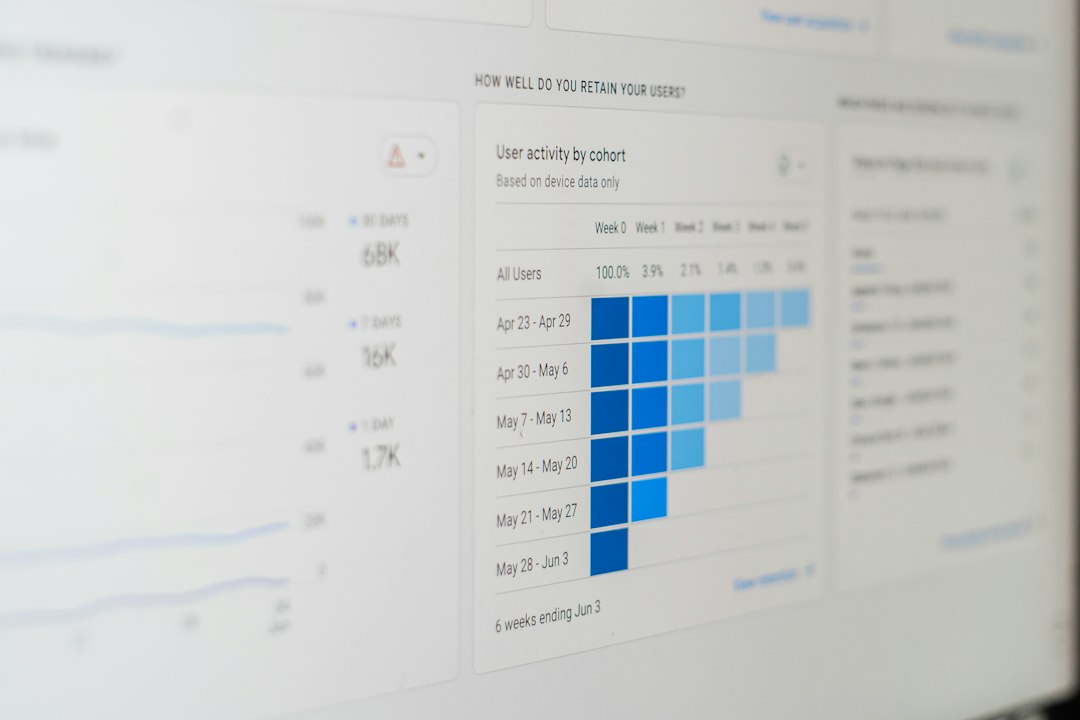
 Photo by 1981 Digital on Unsplash
Running Kubernetes with a small team is a different experience than running it with a dedicated platform org. You don't have the luxury of a 10-person SRE team watching dashboards in shifts. You've got two or three engineers who also ship features, answer support tickets, and occasionally sleep. Monitoring Kubernetes clusters for small teams requires a fundamentally different approach than the enterprise playbooks most documentation assumes you're following.
This guide covers what actually matters: the metrics worth tracking, the tools that fit a small team's budget and skill set, and how to build an alerting system that catches real problems without burning everyone out.
Why Kubernetes Monitoring Matters for Small Teams
Kubernetes was designed for large-scale, distributed environments, and a lot of its tooling assumes you have the headcount to match. When a three-person engineering team adopts Kubernetes, they inherit all of its operational complexity without inheriting the staff typically needed to manage it.
The unique challenges small teams face
A cluster doesn't care how many people are on your team. It still has nodes that can go NotReady, pods that crash loop, and etcd instances that can run out of disk space at 2 AM. Small teams face this complexity with a fraction of the observability tooling and institutional knowledge that larger orgs build up over years.
The typical small team also runs leaner infrastructure: fewer redundant nodes, tighter resource limits, and less margin for error when something goes wrong. A single node failure that a large company shrugs off can take down a meaningful percentage of your production capacity.
Common pain points: alert fatigue, limited resources, tool complexity
Three problems show up again and again when small teams try to monitor Kubernetes:
Alert fatigue. Default Kubernetes monitoring setups (especially ones copied from blog posts written for enterprise use cases) tend to fire on everything: every pod restart, every minor CPU spike, every scaling event. Within a few weeks, your team starts ignoring Slack notifications entirely, which defeats the purpose of having alerts at all. If this sounds familiar, our guide on reducing false positive alerts in monitoring systems walks through how to fix it.
Limited resources. Monitoring stacks themselves consume CPU, memory, and storage. Prometheus with a year of high-cardinality metrics retention can quietly become one of the heaviest workloads in your cluster. Small teams need monitoring that doesn't compete with production workloads for resources.
Tool complexity. The Kubernetes observability ecosystem is enormous, Prometheus, Grafana, Loki, Tempo, OpenTelemetry, Thanos, Cortex, and dozens of managed alternatives. Picking the right combination without a dedicated platform engineer is genuinely hard, and over-engineering your monitoring stack is one of the most common mistakes small teams make.
How proper monitoring prevents costly downtime and incidents
The cost of not monitoring well isn't abstract. A node silently running out of memory, a certificate expiring without warning, a database connection pool exhausting itself under load, these are the kinds of issues that proper Kubernetes monitoring catches hours or days before they become customer-facing outages.
For a small team, every incident has an outsized cost. There's no backup on-call engineer to hand things off to, and a 3 AM outage often means the same person debugging the issue also has customer meetings at 9 AM. Monitoring that catches problems early, or at least gives you enough lead time to respond calmly, is one of the highest-leverage investments a small engineering team can make.
ROI of investing in the right monitoring strategy early
Good monitoring compounds. The dashboards and alerts you set up in month one keep paying off as your cluster grows, provided you build them thoughtfully instead of bolting on tools reactively after each incident. Teams that invest in a lean, well-tuned monitoring setup early spend less time firefighting later and have a much easier time onboarding new engineers, since the system itself documents what "healthy" looks like.
Key Metrics You Need to Monitor in Kubernetes
Not every metric Kubernetes exposes deserves a dashboard. Here's what actually matters for a small team's day-to-day operations.
Cluster health: node status, API server availability, etcd performance
Start at the foundation. If your nodes or control plane are unhealthy, nothing else matters.
- Node status: Ready/NotReady state, disk pressure, memory pressure, and PID pressure conditions.
- API server availability: latency and error rate on API requests. If
kubectlfeels slow, your API server is probably under strain. - etcd performance: disk write latency and leader election frequency. etcd is the most common silent killer of Kubernetes clusters, and it's often ignored until it's already a crisis.
If you're running a managed Kubernetes service (EKS, GKE, AKS), the cloud provider handles etcd and the control plane for you, which removes a huge category of operational burden. This alone is a strong argument for small teams to avoid self-managed control planes unless there's a compelling reason not to.
Pod and container metrics: CPU, memory, restart counts, crash loops
This is where most day-to-day monitoring happens:
- CPU and memory usage relative to requests and limits. Pods getting OOMKilled or CPU-throttled are a common source of mysterious performance issues.
- Restart counts: a pod that restarts once might be fine. A pod restarting every few minutes is signaling a real problem.
- CrashLoopBackOff events: these deserve immediate attention since they usually indicate a deployment or configuration error, not transient load.
Application performance: request latency, error rates, throughput
Infrastructure metrics tell you if the cluster is healthy. Application metrics tell you if your product is actually working. The "RED method" (Rate, Errors, Duration) is a practical framework here:
- Rate: requests per second to each service.
- Errors: percentage of requests returning errors.
- Duration: latency distribution, ideally p50/p95/p99, not just averages.
This is the layer where observability and traditional monitoring start to overlap. If you're trying to figure out where your team should focus its efforts here, our piece on observability vs monitoring for startups breaks down the practical differences and when each approach is worth the investment.
Resource utilization and capacity planning indicators
Track cluster-wide CPU and memory utilization against total capacity, and watch the trend over weeks, not just the current snapshot. This is what tells you when it's time to add a node before you hit a capacity wall during a traffic spike. Pending pods (pods that can't be scheduled due to insufficient resources) are an early warning sign worth alerting on.
Network and storage monitoring essentials
- Network: pod-to-pod latency, DNS resolution failures (CoreDNS issues are a surprisingly common root cause of weird intermittent errors), and ingress controller error rates.
- Storage: PersistentVolume usage and approaching capacity limits. Running out of disk on a stateful workload (databases, queues) is one of the nastiest failure modes because recovery often isn't instant.
Top Monitoring Tools for Kubernetes in 2026
The right toolset depends heavily on your team's size, budget, and existing skills. Here's an honest breakdown.
Prometheus: open-source metrics collection and self-hosted option
Prometheus remains the de facto standard for Kubernetes metrics. It's free, it integrates natively with Kubernetes through service discovery, and the ecosystem of exporters covers almost anything you'd want to monitor.
Pros: no licensing cost, massive community, works well with kube-state-metrics and node-exporter out of the box, PromQL is powerful once you learn it.
Cons: you own the operational burden of running it. Long-term storage, high availability, and scaling Prometheus itself become projects of their own once your cluster grows. For a small team, this is a real tradeoff, you're trading subscription cost for engineering time, and engineering time is often your scarcer resource.
Grafana: visualization and dashboard creation for small budgets
Grafana pairs naturally with Prometheus and is the standard choice for visualization. The free tier (self-hosted or Grafana Cloud's free plan) is generous enough for most small teams, and the community dashboard library means you rarely have to build Kubernetes dashboards from scratch.
Pros: excellent default Kubernetes dashboards available immediately, supports multiple data sources beyond Prometheus (Loki for logs, Tempo for traces), strong alerting features built directly into recent versions.
Cons: dashboard sprawl is a real risk. Teams often end up with 30 dashboards nobody looks at. Curate aggressively.
Managed solutions: Datadog, New Relic, and cloud-native options
If your team doesn't want to run monitoring infrastructure at all, managed platforms like Datadog, New Relic, or your cloud provider's native tools (CloudWatch Container Insights, Google Cloud Operations) remove the operational burden entirely.
Pros: fast setup, built-in alerting and anomaly detection, unified view across infrastructure, applications, and logs, strong support when something breaks.
Cons: cost scales fast, especially with per-host or per-metric pricing models that can surprise teams as their cluster grows. For a small team on a tight budget, an unoptimized Datadog bill can become a bigger headache than the monitoring problem it solved. If budget is the deciding factor, it's worth reading our breakdown of monitoring costs for bootstrapped startups before committing to a managed platform.
Lightweight alternatives: Netdata, Elastic Stack basics
For teams that want something simpler than a full Prometheus/Grafana stack, Netdata offers near-zero-configuration monitoring with solid default dashboards and built-in anomaly detection. It's a reasonable starting point if your main goal is quick visibility rather than deep customization.
The Elastic Stack (Elasticsearch, Logstash, Kibana) is more commonly used for log aggregation than metrics, but it's worth mentioning because logs and metrics need to work together, a point we'll come back to in the pitfalls section.
Cost considerations for small teams with limited budgets
The real cost of monitoring isn't just the subscription fee, it's engineer time spent setting up, maintaining, and tuning the system. A self-hosted Prometheus stack is "free" in licensing but can easily consume a week of engineering time per quarter in maintenance. A managed solution costs more in dollars but less in attention.
For most teams under 10 engineers, a hybrid approach works best: self-hosted Prometheus and Grafana for infrastructure and cluster metrics (cheap, flexible, and well-documented), paired with a lightweight managed uptime and alerting layer for the things that need guaranteed reliability, since you don't want your alerting system to go down at the same time as your cluster. Tools like Uptiqr fit well here, giving you external uptime checks, status pages, and alert routing without requiring you to run and maintain another piece of infrastructure.
Setting Up Alerting and Incident Response
Monitoring without good alerting is just a dashboard nobody looks at until something's already broken.
Defining meaningful alert thresholds to reduce noise
The biggest mistake small teams make is alerting on every anomaly instead of alerting on symptoms that actually require human action. A good rule of thumb: if an alert fires and the response is "yeah, that's fine, ignore it," that alert shouldn't exist.
Use multi-window, multi-burn-rate alerting for SLO-based alerts where possible (alert faster on severe, fast-burning issues, and slower on gradual degradation). For simpler setups, at minimum, separate alerts into two tiers: page-worthy (wakes someone up) and informational (shows up in a dashboard or low-priority channel).
Integration with on-call scheduling and incident management
Even a two-person team benefits from a basic on-call rotation, if only to make clear who's responsible for responding at any given time. Ambiguity about ownership is one of the fastest ways incidents drag on longer than they should. Pair your alerting system with a routing tool that can escalate automatically if the primary on-call doesn't acknowledge within a set window. Our guide to alert routing without PagerDuty covers budget-friendly ways to set this up without an enterprise incident management contract.
Status page best practices for communicating with users
When something does go wrong, a status page reduces the support burden dramatically. Instead of fielding the same "is your app down?" email from twenty customers, you point everyone to a page that's already answering the question. Deciding whether to build your own or use a hosted option is worth thinking through carefully, our comparison of StatusPage vs custom status pages lays out the tradeoffs for teams at different stages.
Escalation policies for small teams with limited personnel
With only a few engineers, escalation policies need to be realistic. If your "secondary on-call" is also asleep at 3 AM, you need a fallback that doesn't just loop forever between two unavailable people. Consider wider escalation chains that include a founder or technical lead as a last resort, and set clear expectations about response time versus resolution time, they're not the same thing, and conflating them leads to burnout. This ties directly into broader on-call fatigue prevention strategies worth building into your rotation from day one.
Automating incident response workflows
Where possible, automate the repetitive parts of incident response: auto-restarting known-flaky pods, automatically scaling up when resource pressure crosses a threshold, and auto-creating an incident channel with relevant dashboards linked the moment a critical alert fires. None of this replaces human judgment, but it removes friction from the first five minutes of an incident, which are often the most chaotic.
Implementing Monitoring Without Overwhelming Your Team
Starting small: monitoring essentials vs. nice-to-haves
Don't try to implement full observability on day one. Start with:
- Node and pod health (is the cluster up?)
- Application error rates and latency (is the product working?)
- Basic uptime checks on public-facing endpoints (can users actually reach you?)
Everything else, distributed tracing, custom business metrics, detailed capacity forecasting, is a nice-to-have that can wait until the essentials are solid and trusted.
Gradual rollout strategy for adding more observability
Add one new layer of observability at a time, and give your team time to get comfortable with each layer before adding the next. A common sequence: uptime monitoring first, then infrastructure metrics, then application performance metrics, then log aggregation, then tracing. Trying to roll out all five simultaneously is how monitoring projects stall out.
Runbooks and documentation for faster incident response
Every recurring alert should link to a runbook: what the alert means, likely causes, and the first three troubleshooting steps. This matters even more for small teams because there's less tribal knowledge to fall back on when the one person who understands a particular service is unavailable. Pair this with solid incident timeline documentation practices so that patterns across incidents become visible over time instead of getting lost after each fire is put out.
Balancing tool complexity with team capacity
If nobody on your team has run Prometheus before, factor in a real learning curve, not just setup time but weeks of tuning PromQL queries and alert rules. Sometimes the "worse" tool that your team already understands is the better choice over the "best" tool nobody knows how to operate.
Free and open-source solutions that scale with your needs
Prometheus, Grafana, Loki, and the various Kubernetes-native exporters can take a small team a long way without licensing costs. The key is choosing tools with a reasonable growth path so you're not forced into a painful migration the moment your cluster doubles in size.
Common Pitfalls and How to Avoid Them
Over-monitoring and creating alert fatigue
More alerts does not mean better coverage. It usually means your team starts tuning out notifications entirely, which is more dangerous than having no alerts at all because it creates false confidence. Audit your alerts quarterly and delete anything that hasn't led to meaningful action in the last 90 days.
Choosing tools that don't fit your team's skill level
A powerful tool your team can't operate confidently is worse than a simple tool they understand completely. Match tool choice to actual skill level, not aspirational skill level.
Neglecting log aggregation alongside metrics monitoring
Metrics tell you something is wrong. Logs tell you why. Teams that invest heavily in metrics dashboards but skip log aggregation often find themselves SSH-ing into pods during incidents, which is slow and doesn't scale. A basic log aggregation setup, even just centralized kubectl logs output via Loki or a managed log service, pays for itself the first time you need to debug a multi-service failure.
Failing to test alerting and incident response procedures
An alerting pipeline you've never tested is a pipeline you don't actually have. Run periodic fire drills: trigger a test alert and confirm it reaches the right person through the right channel within the expected time. Discovering a broken Slack webhook integration during a real outage is a bad time to learn your alerts weren't working.
Storage and cost management for long-term metric retention
High-cardinality metrics retained indefinitely will quietly balloon your storage costs and slow down your Prometheus queries. Set sensible retention policies (30-90 days of high-resolution data is often plenty, with downsampled data for longer historical trends) and revisit them as your cluster grows.
FAQ
What's the minimum viable Kubernetes monitoring setup for a 3-5 person team?
Start with external uptime checks on your critical endpoints, basic cluster health metrics (node status, pod restarts, resource utilization) via Prometheus and Grafana or a managed alternative, and a simple alert routing setup with a clear on-call rotation. That covers the majority of real-world incidents without requiring a dedicated platform engineer.
How do we reduce alert fatigue while keeping our cluster secure?
Separate alerts by severity, tune thresholds based on actual historical data rather than defaults, and regularly prune alerts that don't lead to action. Security monitoring and operational alerting can use different channels and different urgency levels, don't mix a low-priority CPU spike alert with a critical security event in the same noisy channel.
Should we use managed monitoring services or self-host our monitoring stack?
It depends on whether engineering time or monthly spend is your more constrained resource. Self-hosting Prometheus and Grafana is cheaper in dollars but costs ongoing engineering attention. Managed platforms cost more monthly but free up your team to focus on product work. Many small teams land on a hybrid: self-hosted metrics for infrastructure, managed tools for uptime monitoring and alerting.
How can we monitor Kubernetes without hiring a dedicated DevOps engineer?
Lean on managed Kubernetes (EKS, GKE, AKS) to offload control plane operations, use well-documented open-source tools with strong community dashboards rather than building custom solutions, and pair your in-cluster metrics with an external monitoring service that handles uptime checks, status pages, and alert routing without requiring infrastructure of its own.
What's the typical cost of Kubernetes monitoring for small teams in 2026?
Costs vary widely, but a small team running a self-hosted Prometheus and Grafana stack alongside a lightweight external monitoring tool can often stay in the $50-$300/month range depending on cluster size and retention needs. Fully managed observability platforms for the same workload can run anywhere from a few hundred to several thousand dollars monthly once you factor in per-host and per-metric pricing. Check our pricing page if you're evaluating external monitoring and alerting as part of your stack, and compare it against what you're currently paying across your existing tools.